
Stop losing job photos.Organize every site with TimeFotos Cloud.
TimeFotos Cloud is the jobsite photo organizer that files every shot by job address — automatically. Crews capture on iPhone or Android; the office searches tags, phases, and dates from one dashboard. Timestamps, GPS, documents, and client links all live on the organized job file.



Albums by address
automatic filing
Tags & search
find any shot fast
Field + office
one organized file
Client links
curated share sets
The problem
Your job photos are everywhere — and that costs you.
Disorganized jobsite photos don't just waste time. They lose disputes, delay billing, and make a sharp crew look sloppy to clients. Sound familiar?
- Photos buried in a 12,000-shot camera roll with no idea which job they belong to
- "Can you re-send the pour photos?" texts three weeks after the job closed
- The permit was in an email, the change order in a different app, the photos on a phone
- A client dispute and no dated proof of what the site actually looked like
What you get
TimeFotos Cloud turns photo chaos into proof you can sell
Hours back every week
Stop re-sorting photos and hunting through texts. Captures file themselves into the right job, so the office stops chasing the field.
Win the "prove it" moment
Every shot carries timestamp, GPS, and weather. When scope or damage is questioned, you open the dated record instead of arguing from memory.
Look like the pro you are
Send clients a clean, organized link — not a zip of random filenames. Organized proof closes change orders and earns referrals.
How it works
From messy camera roll to organized job file — four steps
Set up the job album
Name it by address or job code — every photo, PDF, and note for that site gets one home.
Crew captures to it
Field shots upload into the organized job file with timestamp, GPS, and weather. No manual sorting.
Tag & review in the office
Filter by phase or date on the web dashboard — QA markup and attach paperwork beside the frames.
Publish the packet
Send a read-only link for the phase you choose — clients see order, not a pile of files.
See it in action
Organized captures — timestamped and filed to the job
Illustrative demos — in TimeFotos Cloud each shot lands in the correct job album with timestamp, GPS, and weather so your organizer stays current without weekend cleanup.



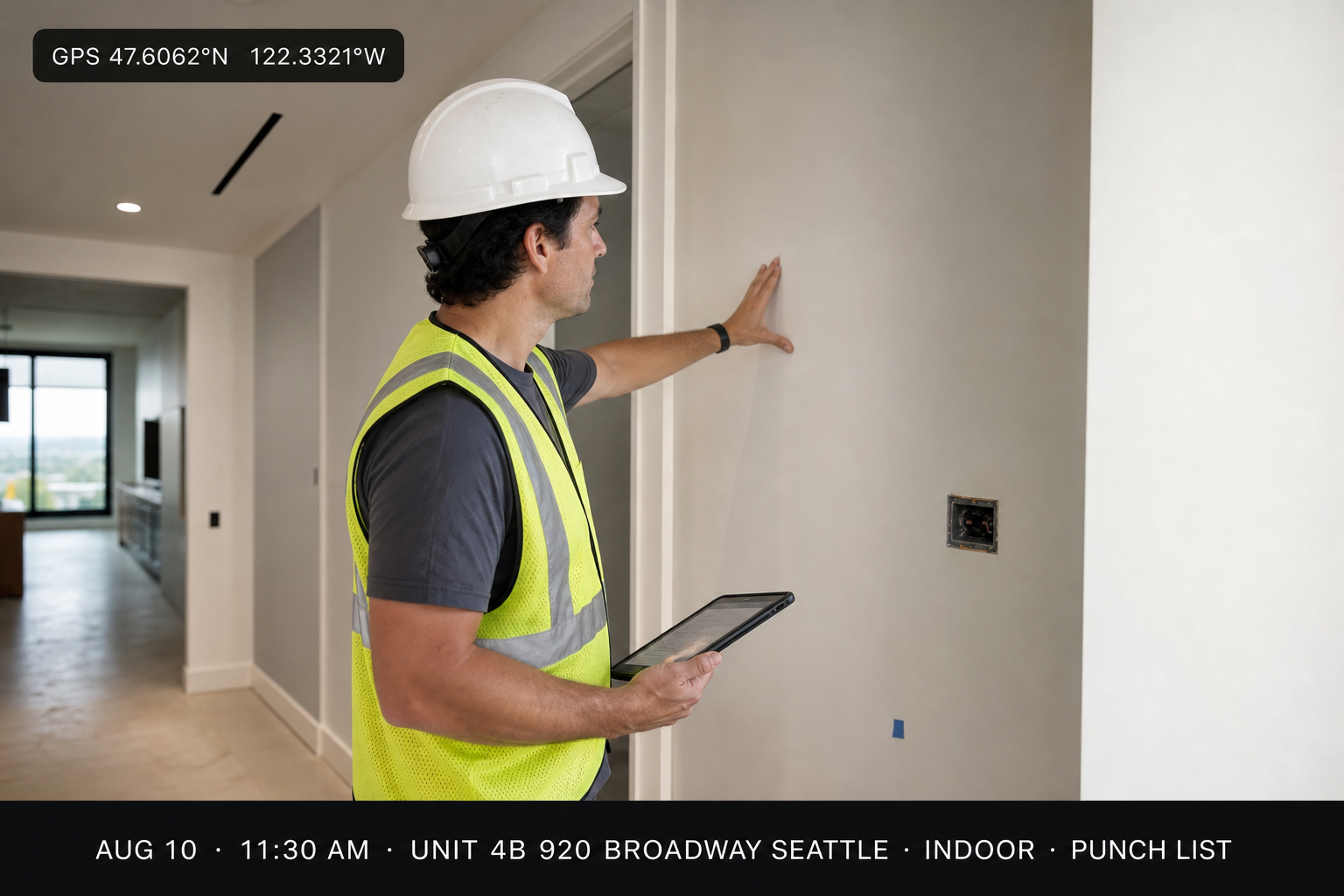
Fictional demo addresses for illustration only
Inside TimeFotos Cloud
Everything you need to organize a job site
One album per job address
Every upload lands in the right job automatically — the organizer your camera roll never was.
Search by tag, phase & date
Filter rough-in, trim, punch, or any custom label — find the right elevation photo in seconds.
Dated timeline built in
Timestamp and order captured automatically — billing and inspections start from a sorted record.
GPS tied to the job
Coordinates and address on the frame prove which lot or unit the photo belongs to.
Docs filed with photos
Permits, COIs, and change orders sit in the same job packet — not a separate Drive nobody updates.
Markup before you share
Circle punch items and label rooms, then publish only what the client or GC should see.
Capture → organized album
Field crews capture.TimeFotos Cloud organizes it.
On iPhone and Android, every shot files into the job album you picked — with timestamp, GPS, weather, and address on the frame. The office dashboard refreshes as uploads land, so PMs organize in real time instead of relabeling folders on Friday.
- Pick the job once — every capture stays in that organized album
- Tags and phases keep daily logs separate from punch and close-out
- Permits and COIs sit beside the photos they support — one packet per address
- Subs upload into the same timeline — no “which text had the pour photos?”
- Replace a phone; the organized job file stays in TimeFotos Cloud
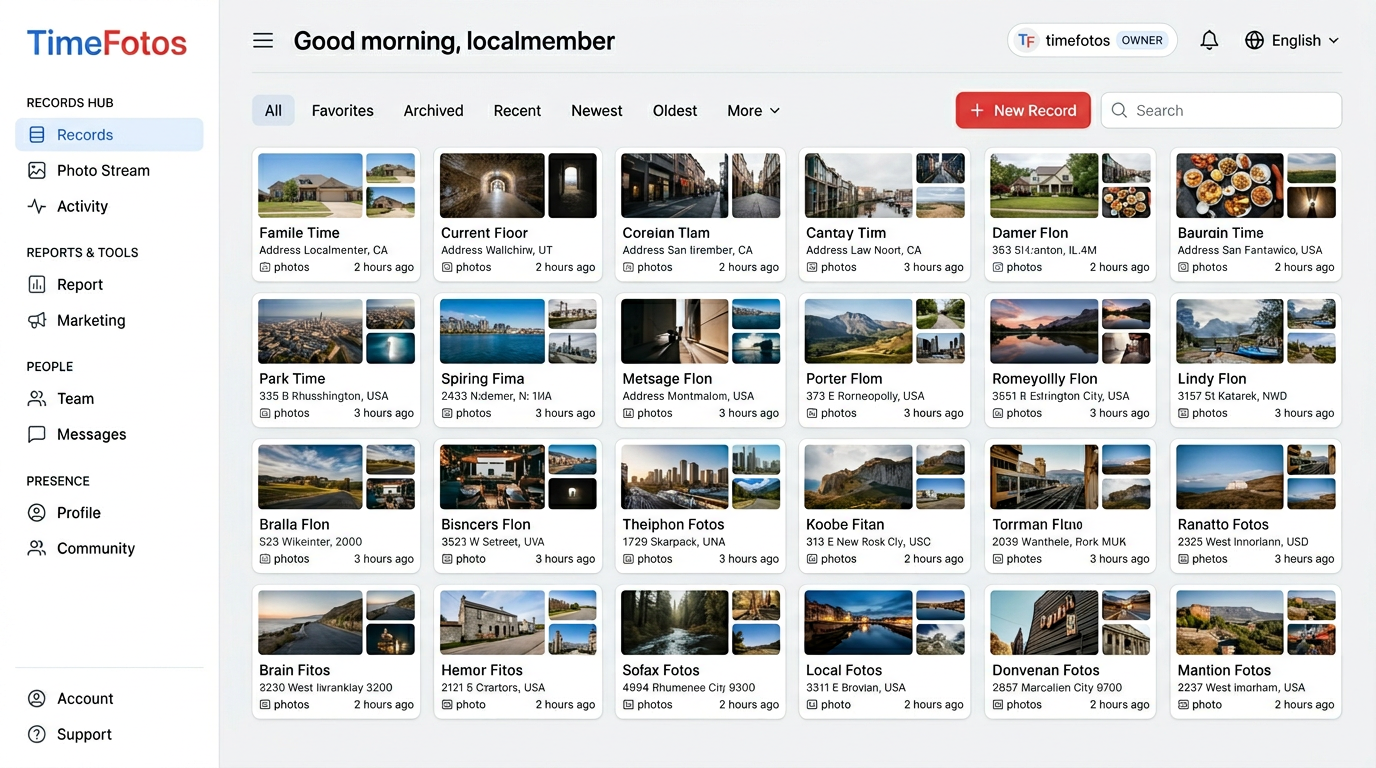
Office organizer dashboard
Sort, search, and share every job site photo from one screen.
TimeFotos Cloud lists jobs by address — open an album, filter tags or dates, attach PDFs beside frames, and publish read-only links. This is the organizer layer your PM uses between site visits.
Live job timelines
New field uploads appear instantly — PMs spot delays without a site visit.
Search like you think
Address, tag, or date range — the right elevation photo in seconds.
Documents + photos together
Permit beside the pour photo — no switching between Drive, email, and camera roll.
Client & insurer links
Send only the phase they need — daily log, inspection set, or close-out gallery.
Private by default
You control what leaves the workspace — other jobs stay hidden.
“Every job now has one folder I can actually find. When a client questions scope, I pull up the dated photos in seconds — and the conversation is over.”
Illustrative of how field teams use TimeFotos Cloud to organize jobsite photos.
TimeFotos Cloud
One upgrade. Every job organized.
TimeFotos Cloud is the paid upgrade on your free Time Fotos account. Add it when your crew is ready — change or cancel anytime.
Included
- Unlimited job albums organized by address
- Timestamp, GPS & weather on every capture
- Tags, phases, and instant search
- PDFs, permits & change orders in the job file
- Read-only client and insurer share links
- iPhone, Android & web — one login
Who uses this
Built for trades that live on proof photos
General Contractors
Multi-phase progress & owner updates
Roofers & Restoration
Storm damage, insurance evidence
HVAC & Plumbing
Rough-in, trim, and callback proof
Commercial & TI
Inspection and punch-list photos
Field Service
Arrival, work, and sign-off shots
Property Managers
Move-in, move-out, unit condition
Organizer vs. camera roll
What folders, texts, and camera rolls can't do
| Capability | TimeFotos Cloud | Typical workaround |
|---|---|---|
| Album per job address (auto-filed) | Manual folders & renames | |
| Search by tag, date, or phase | Scroll the camera roll | |
| Live field-to-office timeline | Weekly photo dumps | |
| Timestamp & GPS on every shot | Lost in group texts | |
| PDFs organized with photos | Separate Drive tree | |
| Read-only client link (curated set) | Oversized email attachments |
Organize your next job with TimeFotos Cloud.
One login across iPhone, Android, and web — one sorted album per address. Upgrade on Plans and stop losing job photos for good.
FAQ